 Rinnah FuelBack to home
Log farm fuel even when there is no signal.
Capture the issue in the field and let it sync when connectivity returns.
Keep the field workflow moving
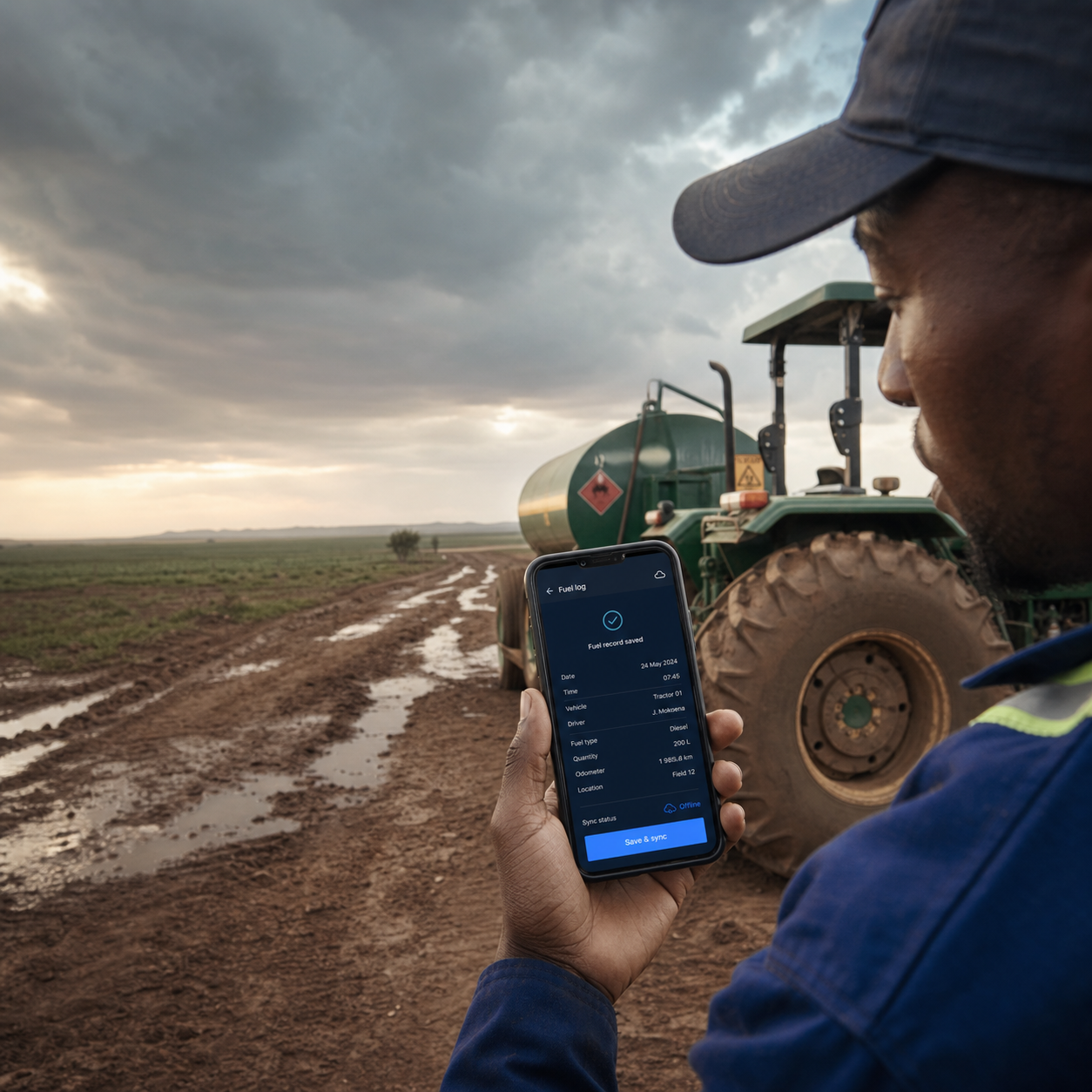
Operators can record the tank, equipment, litres and meter reading where the fuel is issued, even when the device is offline.
A remote tank or working area often has unreliable mobile coverage. Offline logging removes the need to write a temporary note and re-enter it later at the office, when details may already be missing or difficult to read.
Pending entries remain on the device and upload when a connection becomes available. Once synced, they join the shared tank balance, equipment history and reports in the same way as entries recorded online.
- Capture the complete fuel issue at the tank without a mobile signal
- Keep pending entries safely on the device until connectivity returns
- Sync records into tank balances, histories and reports automatically
What happens from “Save” to “Synced”
- The operator completes the fuel issue while standing at the tank, even if the phone has no connection.
- The entry is stored on that device as pending; there is no need to create a second paper copy for later typing.
- When connectivity returns, the device uploads the pending entry.
- After upload, the entry joins the shared records, calculated tank balance, equipment history and reports.
What offline logging does—and does not—solve
| Situation | Operational result |
|---|---|
| Signal disappears during an issue | Complete and save the entry on the device |
| Phone reconnects later | Pending entries can upload into the shared account |
| Another manager needs the entry immediately | They will not see it until the operator’s device reconnects and syncs |
| Phone is lost before pending entries sync | Unsynced device data may be unavailable; reconnect regularly and confirm pending work has cleared |
| Two people log the same issue | Connectivity cannot determine intent; administrators should review and correct duplicate records |
A simple remote-tank routine
- Open the app before leaving coverage if the device has not been used recently.
- Record the issue once, at the tank, on the phone that dispensed it.
- Do not sign out, clear browser data or remove the app while entries are pending.
- Reconnect at the yard or office and confirm the entry appears in shared records.
How it works
- Choose the tank, operator and equipment.
- Enter the litres and current hours or kilometres.
- Save the issue and allow it to sync when the device reconnects.
Useful at a remote bulk tank or bowser, in fields, and at irrigation pumps or off-road work sites.
Common questions
Can an entry be saved without internet access?
Yes. The entry remains pending on the device while it is offline.
Do I need to enter it again later?
No. It syncs when a connection becomes available.
Does the synced entry update the tank balance?
Yes. Once uploaded, it becomes part of the normal tank and equipment records.