 Rinnah FuelBack to home
How to add vehicles and equipment
Build a shared equipment catalog for tractors, pickups, generators, pumps and other fuel users.
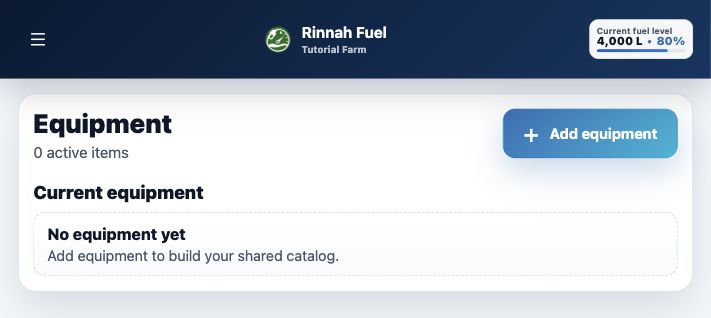
Give every fuel user a clear name
A shared catalog keeps equipment names consistent across fuel logs, consumption reports and service schedules.
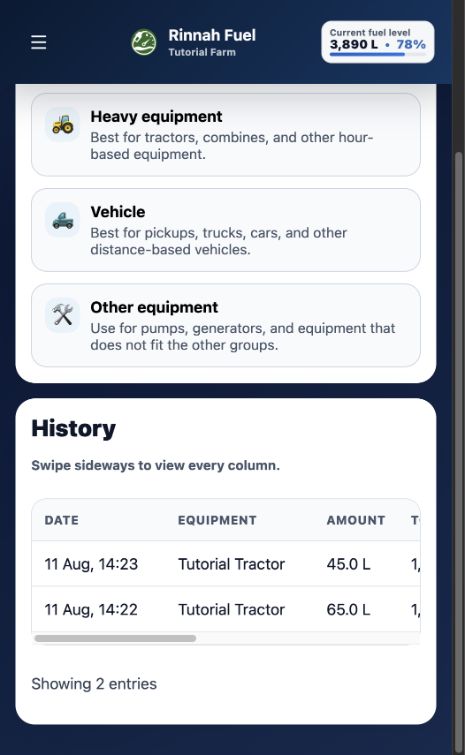
Choose the equipment type that matches how its readings are recorded. Heavy equipment uses engine hours, vehicles use odometer readings, and Other can support either reading when applicable.
- Use clear, unique equipment names
- Choose the correct equipment category
- Keep archived equipment in historical records
Add equipment to the catalog
- Open the main menu and select Vehicle catalog.
- Select Add equipment.
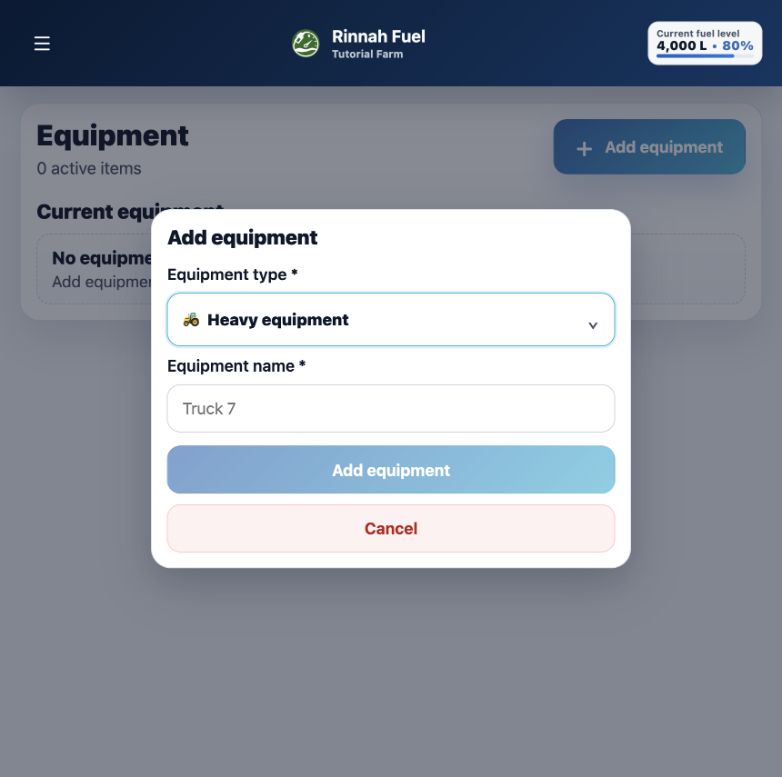
- Choose Heavy equipment, Vehicle or Other.
- Enter the equipment name and select Add equipment.
Account owners and administrators can manage the catalog. If a category has no equipment yet, Log fuel also lets an administrator enter the first equipment name directly and continue.
Add equipment from either screen
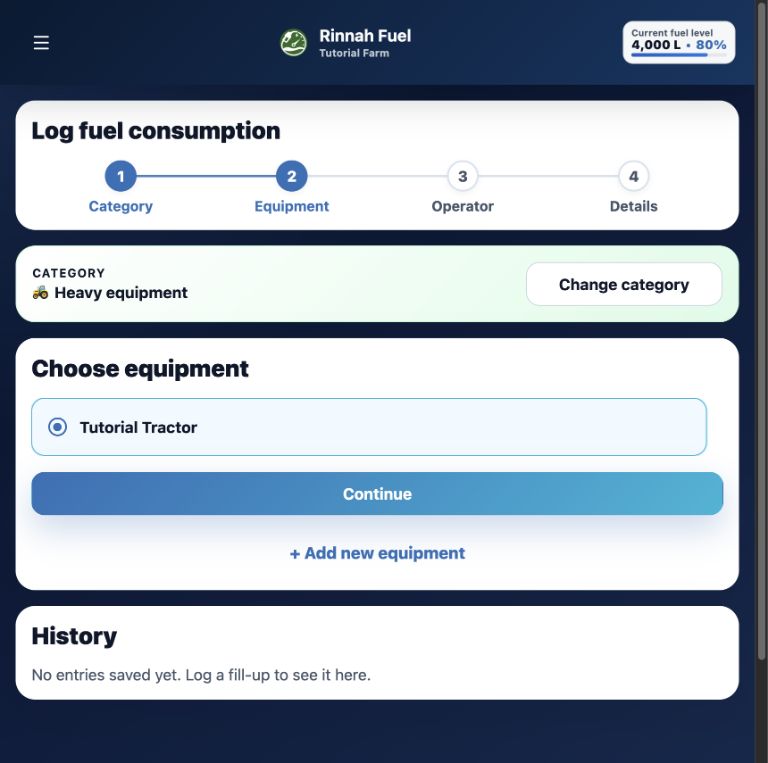
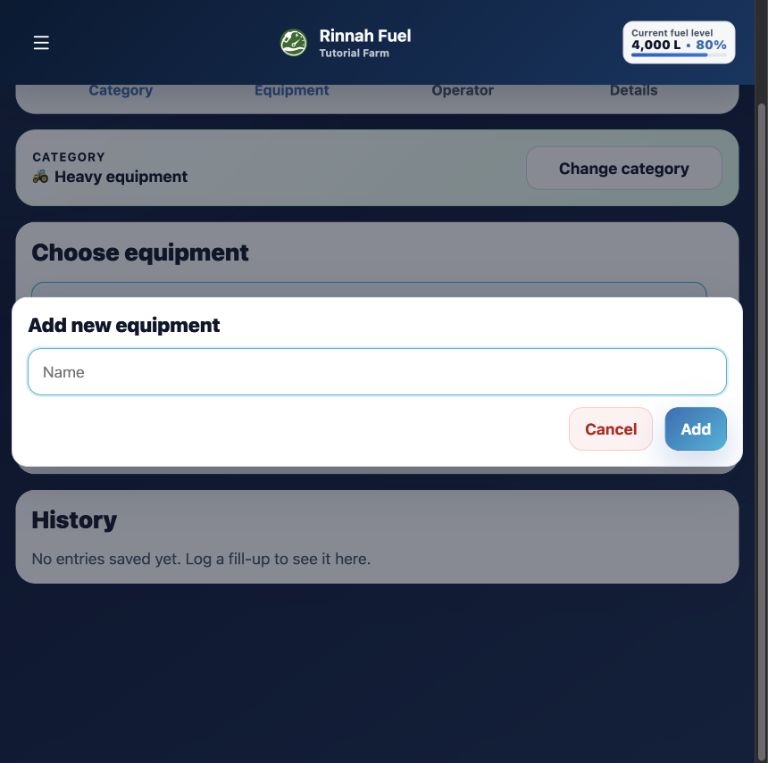
Use Vehicle catalog to prepare the list in advance, or add equipment without leaving the Log fuel flow.
Screenshot examples: These images are for reference only and are not interactive. Open Rinnah Fuel to use the buttons shown.
How it works
- Choose the equipment category.
- Enter a name the whole team will recognise.
- Save it to the shared catalog.
Examples include Tractor 4, Farm Pickup 2, Generator 1 and Irrigation Pump 3.
Common questions
Which equipment type should I choose?
Use Heavy equipment for machines tracked by hours, Vehicle for road vehicles tracked by kilometres, and Other for equipment that may use either reading.
Can I add equipment while logging fuel?
Yes. If the category is empty, an account owner or administrator enters the first equipment name directly. If equipment already exists, select Add new equipment during the equipment-selection step.
What happens when equipment is archived?
It is hidden from new entries but remains visible in historical fuel and maintenance records.