 Rinnah FuelBack to home
How to log fuel on a farm with Rinnah Fuel
Record each fuel issue on a phone at the tank, then let Rinnah Fuel update the shared records, equipment history and calculated stock.
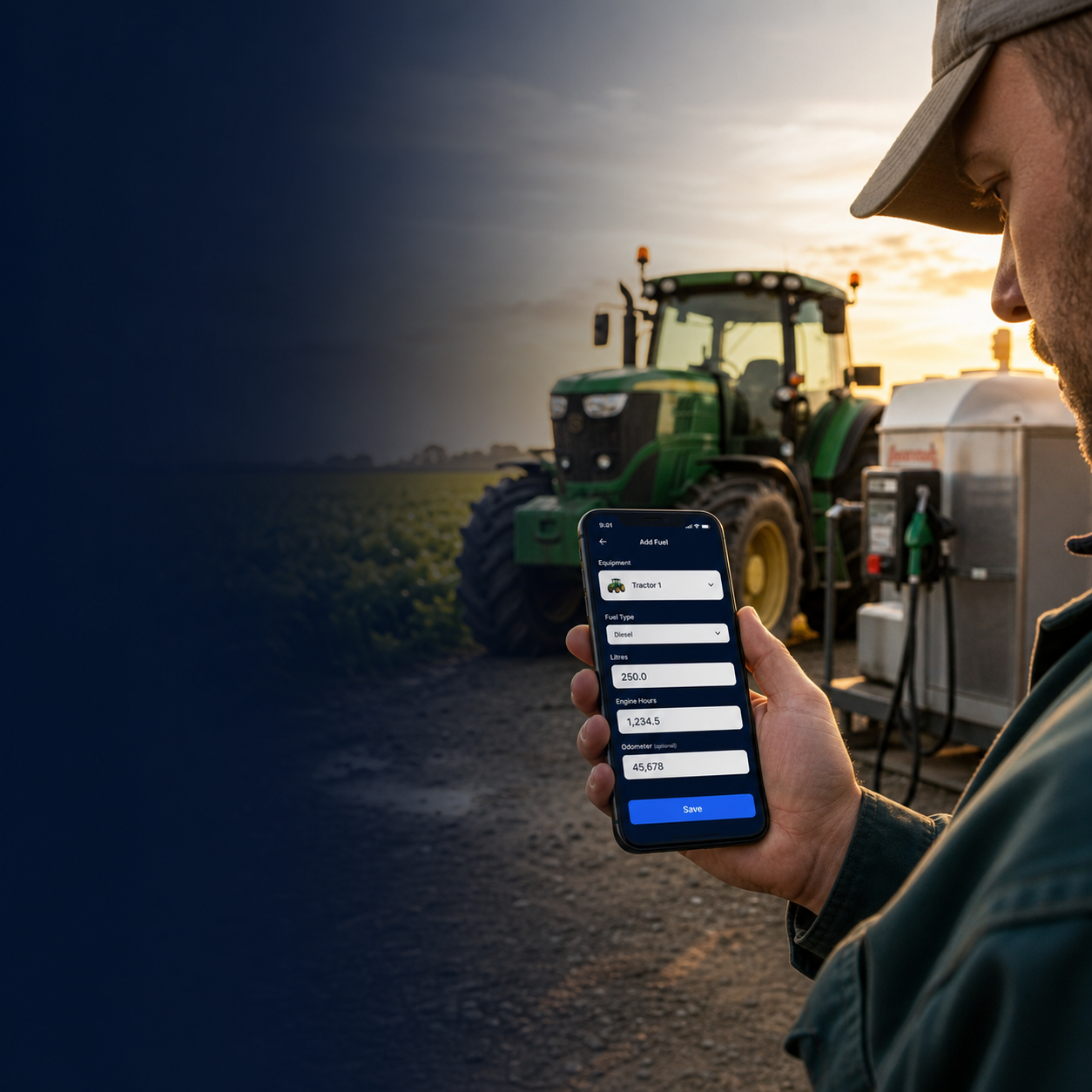
Log the fuel once, where it is issued
The person issuing fuel enters the transaction directly into Rinnah Fuel. There is no paper sheet to copy later and no separate spreadsheet for the team to maintain.
Choose the equipment and operator, enter the litres issued, add the current engine-hours or odometer reading, and record the pump total when available. Save the entry at the tank—even without signal—and Rinnah Fuel syncs it when the connection returns.
Operators do not need to measure the tank before and after every issue. An administrator sets the opening tank level, records deliveries and can enter an occasional physical stocktake when a measured correction is needed. Normal daily logging is simply the fuel issue itself.
- Enter each issue once on a phone at the tank
- Keep the tank balance and equipment history updated automatically
- Export clean monthly or yearly fuel records when needed
Log a fuel issue in Rinnah Fuel
- Open Rinnah Fuel on the phone at the tank.
- Choose the machine receiving fuel and the operator using it.
- Enter the litres and the current engine-hours or odometer reading.
- Add the pump total if the dispenser has a counter, then save.
- If the phone is offline, leave the entry pending; it syncs automatically when signal returns.
Example: one tractor fuel log
At 07:42, a team member issues fuel to a tractor and records the transaction before leaving the tank.
| Rinnah Fuel field | Example entry |
|---|---|
| Equipment | Field Tractor 3 |
| Operator | Thandi Moyo |
| Fuel issued | 76 L |
| Engine hours | 3,418.6 h |
| Pump total | 18,502 L |
Saving this one entry updates the shared fuel history. Rinnah Fuel uses the recorded litres and meter reading in its equipment and consumption reports.
Example Rinnah Fuel export
This fictional example shows the kind of fuel-log rows an administrator can export. The names, machines and values below are invented and contain no customer data.
| Date and time | Equipment | Operator | Litres | Meter reading | Pump total |
|---|---|---|---|---|---|
| 21 Jul 2026, 07:42 | Field Tractor 3 | Thandi Moyo | 76 L | 3,418.6 h | 18,502 L |
| 21 Jul 2026, 10:15 | Irrigation Pump 2 | Brian Phiri | 48 L | 1,206.3 h | 18,550 L |
| 22 Jul 2026, 06:58 | Farm Pickup 1 | Lindiwe Tembo | 62 L | 84,320 km | 18,612 L |
| 22 Jul 2026, 14:20 | Generator 1 | Joseph Zulu | 35 L | 892.1 h | 18,647 L |
The actual Excel export also includes the available account, audit and calculated consumption fields. Administrators can export a selected month or a full year directly from Rinnah Fuel.
What the farm team needs to keep current
- Log every fuel issue when it happens instead of relying on memory at day-end.
- Choose the correct machine and operator.
- Enter the meter reading shown on the machine.
- Record supplier deliveries in Rinnah Fuel when fuel arrives.
- Use an occasional physical stocktake only when the calculated tank level needs checking or correction.
How it works
- Set up the tank, machines and team members in Rinnah Fuel.
- Have operators log each fuel issue on their phones.
- Review the shared history or export the records when needed.
Use the same quick workflow for tractors, pickups, generators, irrigation pumps, bowsers and other farm equipment.
Common questions
What should I enter for each fuel issue?
Record the equipment, operator, litres, engine hours or kilometres, and the pump total when available. Rinnah Fuel records the date, time and creating account member with the entry.
Must I measure the tank before and after every fuel issue?
No. Operators log the fuel issued. An administrator enters the opening level and deliveries, and can record an occasional physical stocktake when a measured correction is needed.
Can I get the fuel logs in Excel?
Yes. An administrator can export the records for a selected month or a full year. There is no separate spreadsheet for operators to maintain.