 Rinnah FuelBack to home
How to set up your fuel tank
Enter the tank capacity and current fuel level so Rinnah Fuel can calculate the remaining stock.
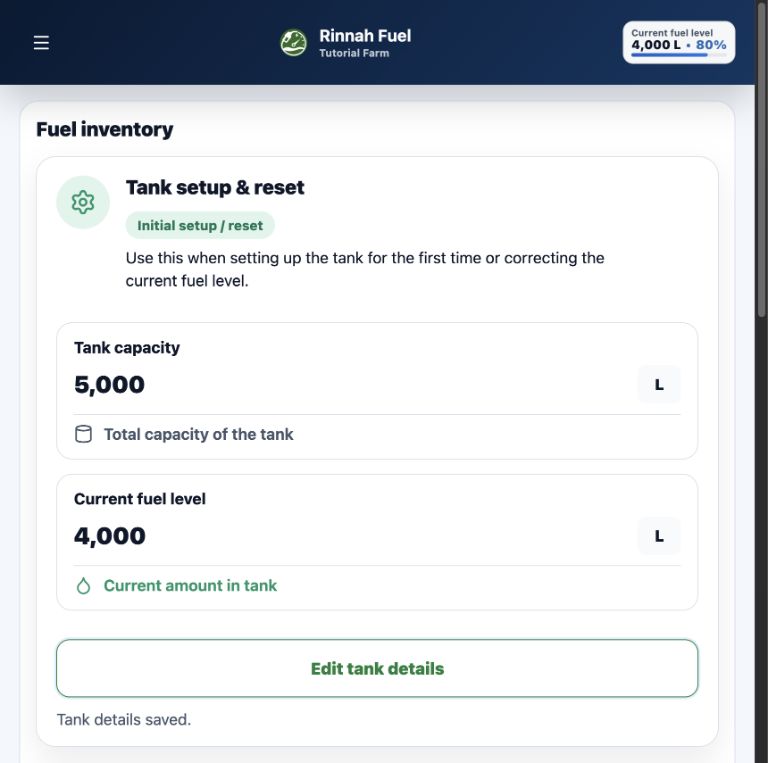
Start with two measured values
Tank capacity sets the maximum level. Current fuel level records how much fuel is in the tank when tracking begins.
An account owner or administrator can set these values from Fuel inventory. Use the same screen later when a physical measurement shows that the calculated level needs correcting.
- Record the total tank capacity
- Enter the fuel currently in the tank
- Use a measured level when correcting the balance
Set the tank details
- Open the main menu and select Fuel inventory.
- Under Tank setup & reset, select Edit tank details.
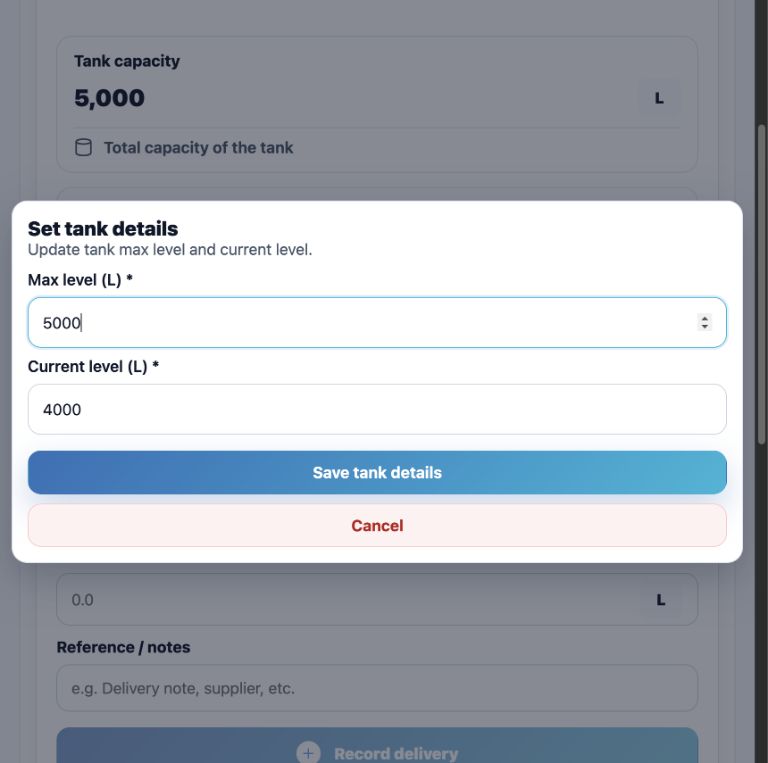
- Enter the Max level in litres.
- Enter the Current level in litres, then save the details.
The current level cannot be higher than the maximum level. Tank setup is available to account owners and administrators while online.
Enter the measured tank values
The example uses a 5,000 litre tank with a measured opening level of 4,000 litres.
Screenshot examples: These images are for reference only and are not interactive. Open Rinnah Fuel to use the buttons shown.
How it works
- Measure or confirm the tank capacity.
- Measure the fuel currently in the tank.
- Save both values in Fuel inventory.
Once set up, deliveries add to the calculated level and logged fuel issues reduce it.
Common questions
Do I need a tank sensor?
No. Rinnah Fuel calculates the level from the opening amount, recorded deliveries and logged fuel issues.
Can I correct the current fuel level later?
Yes. An administrator can reopen Edit tank details and enter a new measured current level.
Who can change tank details?
Account owners and administrators can manage tank details while the account is online and writable.